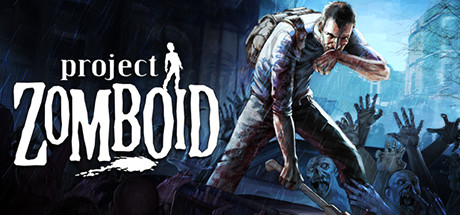
Project Zomboid Server Hosting
Survive Knox Country with your friends. Our servers handle vast zombie hordes, complex mod lists, and persistent chunk loading flawlessly.
From €10.49/month
Project Zomboid server hosting on Spawnly
Spawnly hosts Project Zomboid dedicated servers for co-op and roleplay groups, with plans starting at 4 GB and the world online whether or not the host is playing.
DDoS Protection
Enterprise-grade Cloudflare and Hetzner DDoS mitigation comes standard.
NVMe Storage
Say goodbye to save-pauses. Our Gen4 NVMe drives ensure instant saving and chunk loading.
What a Project Zomboid server needs
Zomboid is the game where four players can cost more than twelve. The map streams in cells around each player and keeps them loaded while anyone is near, with every zombie, dropped item and piece of furniture tracked individually — survivors spread across four towns hold four regions of Knox County in memory, while a group sharing one base holds one. Explored chunks stay resident, so a long-running world grows with how far people have travelled. Roleplay servers where groups settle far apart should budget as if they had several times the players, and heavy map and vehicle mods raise the floor before anyone connects.
Running Project Zomboid on Spawnly
Zomboid's server config is named after the server: a server launched as servertest reads servertest.ini, and a separate sandbox settings file beside it holds loot, zombie and time settings. Both are in the file manager. The server uses two consecutive UDP ports, 16261 and 16262 by default. A disconnect can cost a player their character, so schedule restarts for genuinely empty hours and leave real time for the save on a well-explored map.
Included with every Project Zomboid server
- Live consoleThe server log and a command line, in your browser.
- File managerEdit configs and upload mods, saves and worlds.
- Scheduled tasksTimed restarts, starts, stops and console commands.
- BackupsManual and automatic backups, restorable from the panel.
- Shared accessInvite friends with exactly the permissions you choose.
Free Project Zomboid server tools
Project Zomboid server hosting FAQ
Where do I change loot rates and zombie population?
In the sandbox settings file, not the main server .ini. Zomboid keeps them separate, so edits to loot, zombies or day length in the main file have no effect.
How do mods work on a Project Zomboid server?
Mods are listed in the server .ini by their Workshop and mod IDs; the server downloads them when it starts and players receive them when they join. Heavy map mods raise memory use from the moment the server boots.
How much does Project Zomboid server hosting cost?
Project Zomboid servers start at 4 GB of RAM for €10.49 per month. Larger plans go up to 32 GB, and the pricing page lists every tier.
Can I install mods on my Project Zomboid server?
Spawnly has no built-in mod browser for Project Zomboid. Where the game supports server-side mods, upload them through the file manager — you have full access to the server's files.
Which ports does a Project Zomboid server use?
By default 16261-16262 UDP. Your Spawnly server runs on its own public address, so there is no router port forwarding to set up.
Are backups included?
Yes. Create a backup at any time, or turn on automatic backups that run when the server stops, with a minimum interval you choose and up to 10 kept. Any backup can be restored from the panel.
Can friends help manage the server?
Yes. Invite them by email or username from the Access tab and choose what each person can do — starting and stopping the server, using the console, editing files and more.
Start your Project Zomboid server
Plans from €10.49 a month, ready in under a minute.